Wix
- Log in to Wix and go to the settings via the menu.
- Scroll all the way down and click on "Marketing Integrations".
- Connect the "Google Tag". You received the required GA4 ID from us via email.
- In the next step, the "Google Tag Manager" must also be connected under "Marketing Integrations". Here you enter the ID GTM-KK8SVP. (This is the official Shoplytics container. To protect you and all other Shoplytics customers, no one from the Shoplytics developers has access to this container.)
- Now go back to the settings and click on "Custom Code" (This is exactly 2 items above "Marketing Integrations")
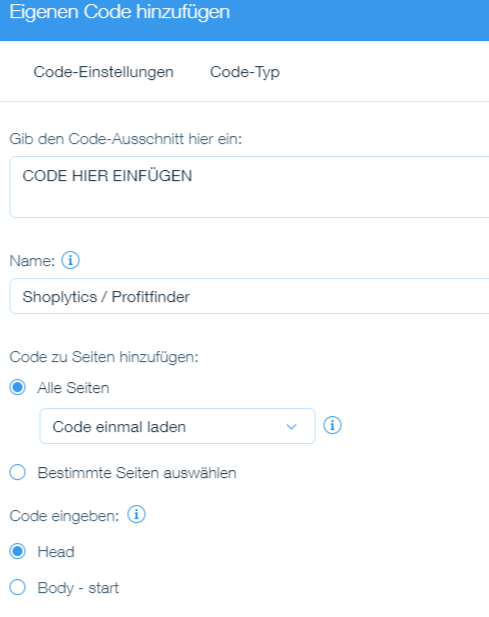
- Now click on "Edit Custom Code" and insert the Shoplytics code at the very top, which you received from us via email.
- For the name, you can simply enter Shoplytics. The remaining settings as shown in the image: