PrestaShop
- Install GTM plugin: Go to plugin
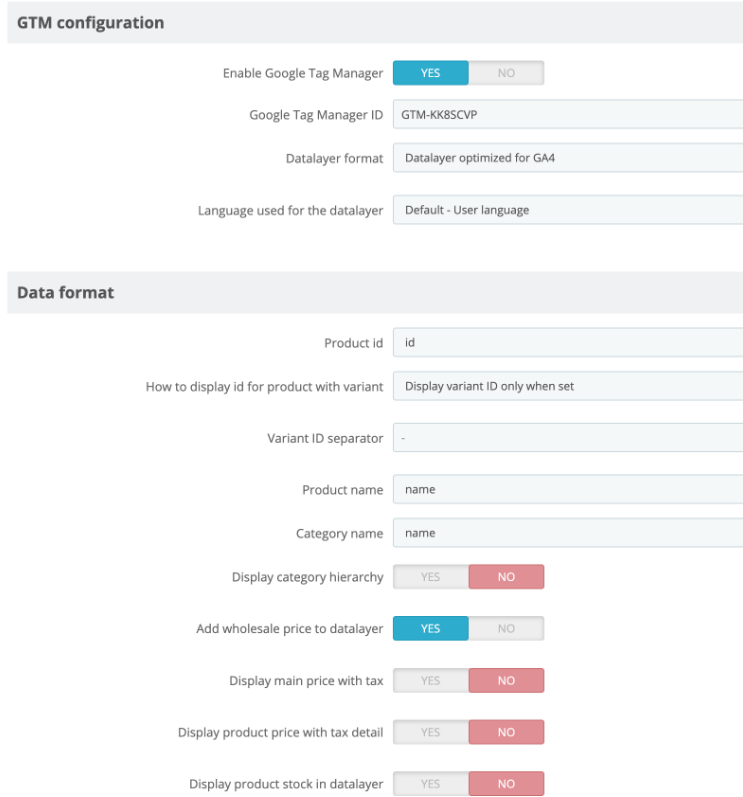
- In the plugin, enter the Google Tag Manager ID GTM-KK8SCVP
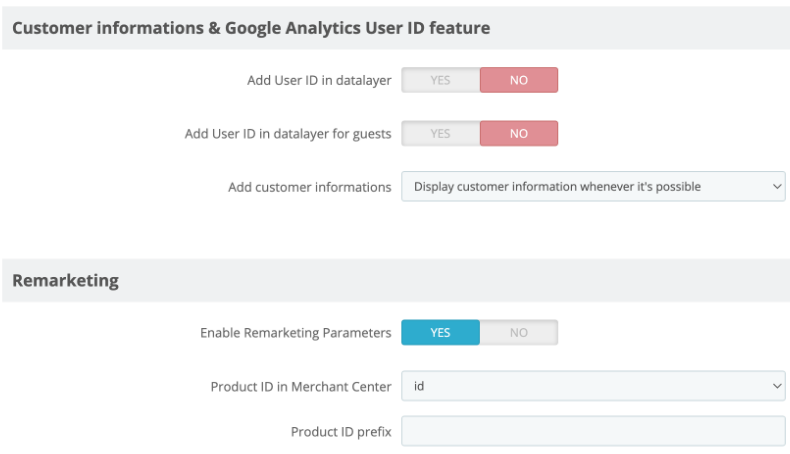
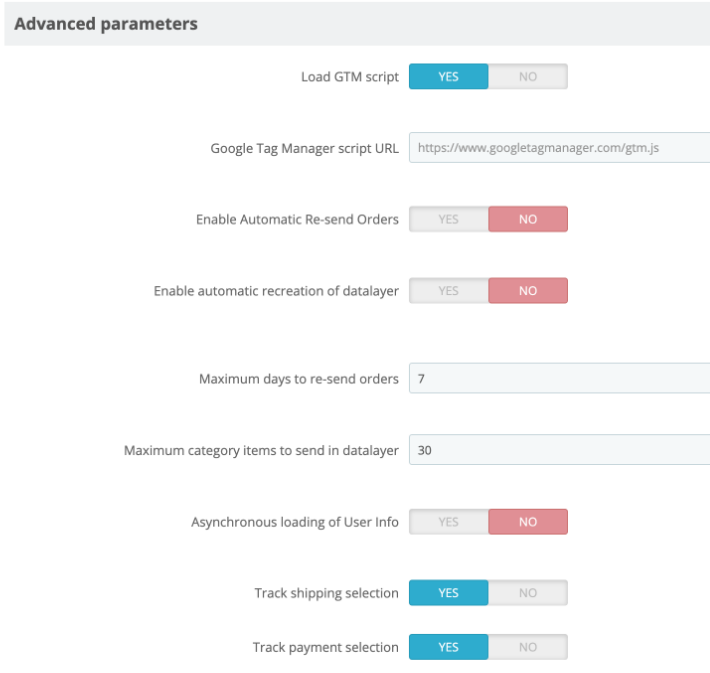
- Configure all settings as shown in the images:
If you do not wish to purchase the GTM plugin, the datalayer can also be provided directly by Shoplytics. However, this requires custom programming for your shop (which will then be loaded directly via the Shoplytics script). The Shoplytics datalayer service is slightly cheaper than the GTM plugin and can be booked at https://www.checkout-ds24.com/product/592227/.