Log in to Wix and go to the settings via the menu.
Scroll all the way down and click on "Marketing Integrations".
Connect the "Google Tag". You received the required GA4 ID from us via email.
In the next step, the "Google Tag Manager" must also be connected under "Marketing Integrations". Here you enter the ID GTM-KK8SVP. (This is the official Shoplytics container. To protect you and all other Shoplytics customers, no one from the Shoplytics developers has access to this container.)
Now go back to the settings and click on "Custom Code" (This is exactly 2 items above "Marketing Integrations")
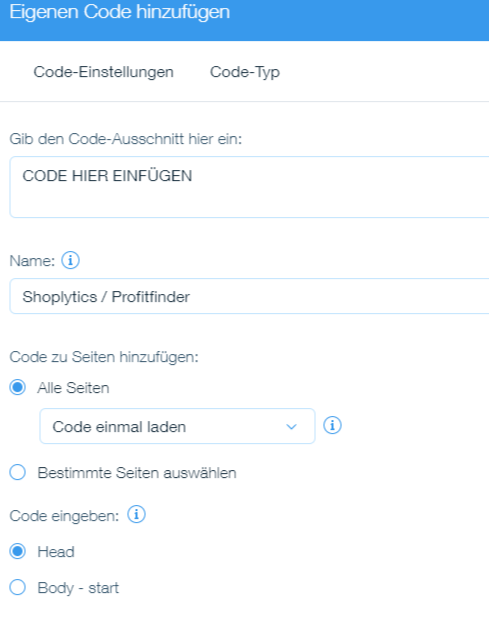
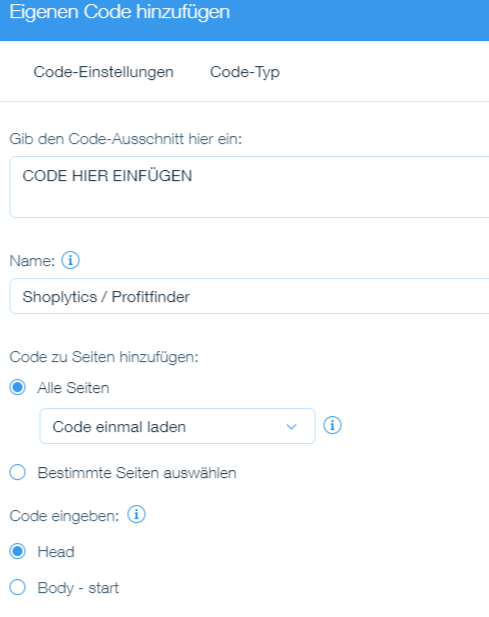
Now click on "Edit Custom Code" and insert the Shoplytics code at the very top, which you received from us via email.
For the name, you can simply enter Shoplytics. The remaining settings as shown in the image: